Charge by rule, quantity or different product
Use a fixed charge once per matching rule, per item quantity or per distinct product. Different options of the same product count once in distinct-product mode.
Charge the right extra cost. Offer suitable delivery methods. Explain what happens next.
One OpenCart 3 extension for product-based surcharges, shipping restrictions and helpful checkout notices.
One-off payment. Extension emailed manually after purchase.
Illustrative example · £8 extra for qualifying products on Express delivery. Amounts shown before any store tax.
Two different qualifying products × £8. Duplicate quantities do not add another charge.
Long parcels, awkward variants, remote delivery areas and supplier-dispatched items rarely fit one simple shipping price.
Shipping Control gives you rules for those exceptions — with clear labels for customers and an explanation of what matched in your admin area.
Understand the matching rulesUse a fixed charge once per matching rule, per item quantity or per distinct product. Different options of the same product count once in distinct-product mode.
Calculate an extra charge from the matched product subtotal. Target only the relevant lines, rather than charging a percentage of the whole basket.
Select products, directly assigned categories and option values. Option conditions must match the same product line, keeping unrelated basket items out of the rule.
Earlier matching rules claim basket lines, so a later rule cannot charge those same lines again. Put specific exceptions before broad rules.
Apply a service-specific handling charge to long or bulky products, while leaving alternative methods unaffected.
Target the option that needs special treatment. Charge once per different product when duplicate variants share the same handling cost.
Hide an unsuitable method for a product group or selected UK postcode areas, then explain the chosen delivery service with a checkout notice.
Explore an illustrative restriction: the compact parcel service cannot carry an oversized item. A separate Express restriction applies to the example AB10–AB16 area.
Illustrative rules only. Your shipping provider still determines actual service availability and prices.
Both illustrative restriction rules are inactive.
Build delivery rules with the detail your store needs, then make their effects easier to understand.
Remove specific services or allow only a chosen set. When several allow-only rules match, a service must satisfy them all.
Apply restrictions to exact UK outward codes or numeric ranges with the same prefix. Test destination rules in your storefront checkout.
Qualifying quotes can show their own surcharge beside the original delivery price. Unaffected methods retain their original display.
Choose an OpenCart tax class and total sort order. Keep internal rule names separate from the wording customers see.
Use formatted Information, Warning or Plain notices for lead times or separate deliveries. Preview at desktop, tablet and mobile widths. The first matching notice is displayed.
Search products, categories, options and services. Filter options by product. Test saved rules with a temporary basket and see matching reasons and method restrictions.
With supported Ultimate Shipping integration, separate supplier-dispatched products from normal carrier calculations. Current direct-only delivery handling is UK-oriented. Read the requirements.
Real admin screenshots show the controls you will use. Example calculations elsewhere on this page are interactive illustrations.
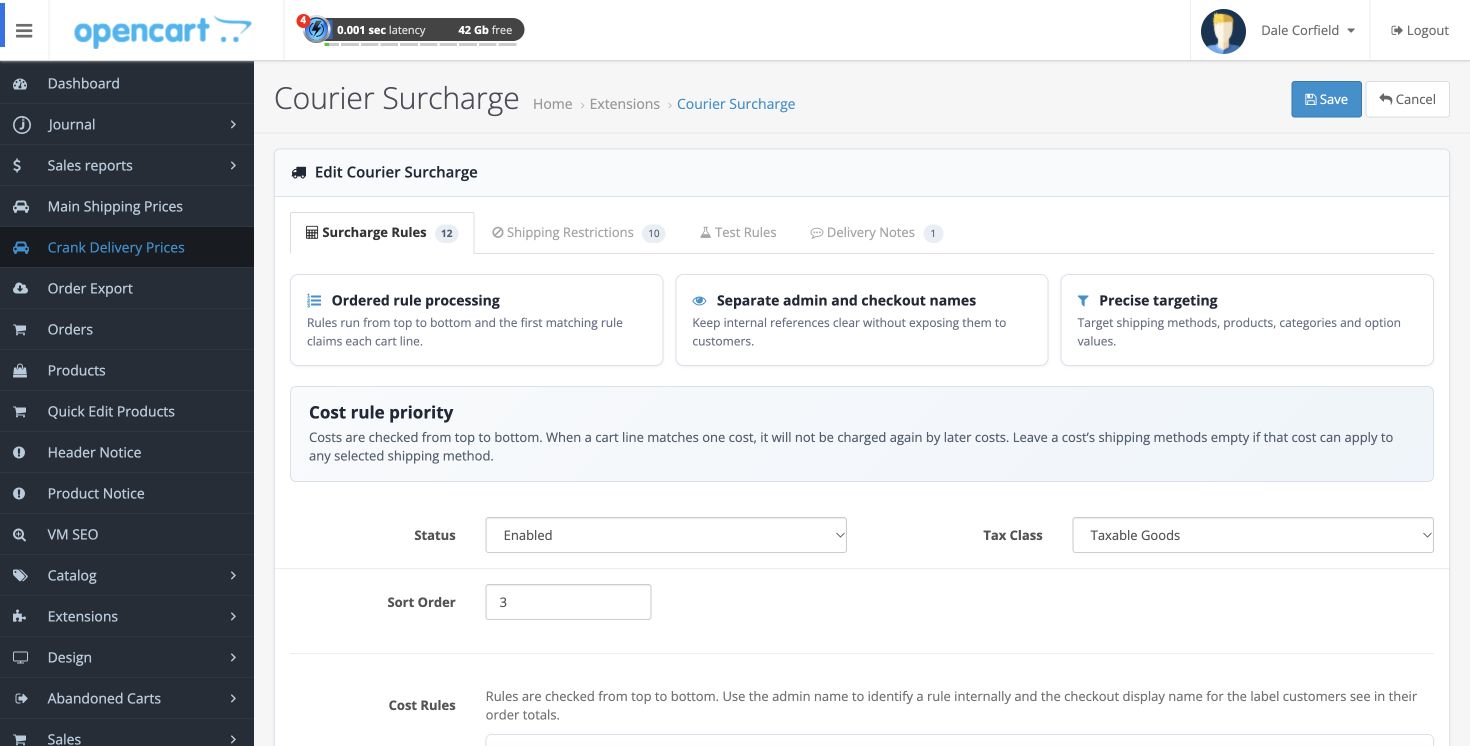
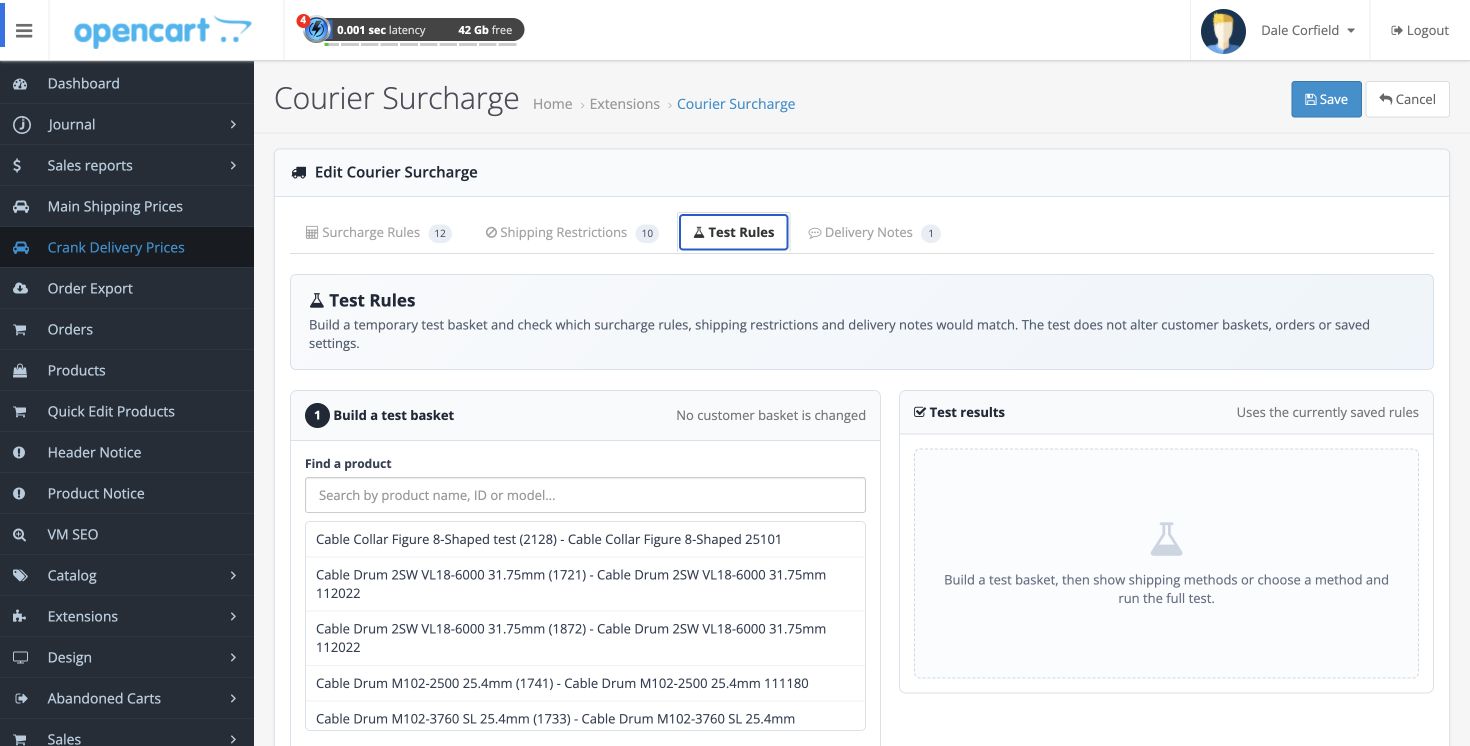
Separate the everyday parcel from the item that needs something extra. Keep those decisions in saved rules, with the detail close at hand when you need to explain a charge.
See how to test a rule
Install as an OCMOD extension and configure it in Order Totals. Your existing shipping modules continue to supply the services and base prices.
Designed for OpenCart 3. Includes handling for Ultimate Shipping and hooks for standard and Xtensions AJAX checkout. Journal and custom checkout behaviour depends on installed versions and customisations.
Ultimate Shipping is a separate extension and is required for the supplier-direct splitting integration. OpenCart 4 is not included.
Get the extension directly from ViralMESH, with setup guidance and a practical help centre.
After payment, ViralMESH manually emails the extension to the address used at checkout. This is not an instant download.
Check compatibility before ordering. Purchase and support questions
£20 total
One-off payment. ViralMESH is not VAT registered; no VAT is added.
Continued use of the purchased version. Manual email fulfilment.